TROUBLESHOOTING · INSTAGRAM TRANSCRIPT
Why a public Instagram Reel can still fail to transcribe
A public link can fail when its URL is unsupported, the video cannot be retrieved, the provider returns no speech, or the request times out. Find the exact message below and take one matching next step. Public visibility alone does not guarantee that a transcription provider can retrieve a video's audio.
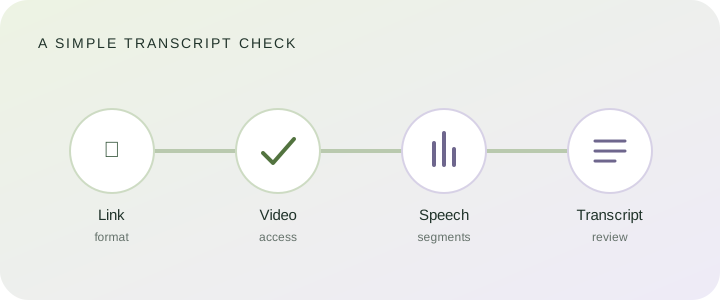
Start with the message, not another retry
Repeatedly submitting the same URL does not fix a bad path or make a restricted post accessible. The messages below follow the validation and response handling in this site's transcript tool, so the advice stays specific to what the page actually checks.
| Message | What it tells you | Next step |
|---|---|---|
| “Use an https://www.instagram.com link.” | The pasted address is not an accepted secure Instagram address. | Copy the link again from Instagram. Use the original Reel or video post URL, not a profile page. |
| “Use a Reel, video post, or share link, not a profile or Story.” | The address does not match a video path this page recognizes. | Open the video itself, use its share action, and paste that link. Share-link compatibility has not been verified for every link form. |
| “The video was not found or is not publicly accessible.” | The provider could not retrieve the submitted video. | Check that the post still exists. If it does, copy the original public Reel or video post link and try that once. |
| “The provider could not transcribe this video.” | The provider returned no usable transcript for this request. | Confirm you used the original video post, then try again later. A public URL by itself cannot guarantee that the provider can process the media. |
| “Transcription capacity is temporarily unavailable.” | The provider or this page's request limit is temporarily blocking another job. | Wait before trying once more. Sending the same link repeatedly will not clear a capacity limit. |
| “The transcription provider did not respond in time.” | The request exceeded the response window. | Wait and retry later. If it keeps happening, send the link and exact message to contact@reeltranscriptlab.com. |
| “No speech was found in this video.” | The returned transcript contained no spoken words. | Check that the clip has audible speech. A silent or music-only segment may not produce transcript text. |
Check the URL before you try again
Use an individual public video link, not an Instagram profile, a Story, or a photo-only post. This tool accepts Reel and video-post paths; its share-link input is still not verified for every Instagram share format. The page strips tracking text from the link before it sends it to the transcription provider.
- Open the actual Reel or video post.
- Use Instagram's share option to copy its link.
- Paste the complete HTTPS URL into the Instagram transcript tool.
- Submit once, then follow the status or error message shown on the page.
If the transcript appears, review it before reuse
Read along with the original audio, especially for names, numbers, and short words spoken over background music. The tool shows plain transcript text and offers TXT, SRT, and VTT downloads. TXT keeps the words without timecodes; SRT and VTT carry segment timing for subtitle editors. If the wording or timing looks wrong, correct it against the audio before publishing or quoting it.
When to stop troubleshooting
If the original video link still returns an access or provider error, there may be no fix from this page. Do not send an Instagram password or private post link. For a persistent tool error, contact us with the public URL and the exact on-screen message; do not include account credentials.